

A founder's worst nightmare is having her team scattered across personal AI accounts, each with different billing cycles and usage limits. Moving to a centralized plan like Claude for business can streamline operations, enhance collaboration, and protect company data. The Longevity Social Club, which publishes this article, teaches Claude in its course "Built with Claude: The Founder's Guide to AI," and we understand the importance of making informed decisions about AI tools. This article will help you determine which Claude plan fits a team of two to 150, what it costs as listed on October 28, 2026, how your company data is handled, and how to set it up in the first week.
What Claude for business means
Claude for business means transitioning from individual accounts (Free, Pro, Max) to a shared plan designed for teams. The available plans are Team for teams of 2 to 150 people and Enterprise for larger organizations with a 20-seat minimum. This shift is significant for several reasons. Firstly, it simplifies billing by consolidating multiple individual accounts into a single, shared plan. Secondly, it ensures that the AI model is not trained on your company data by default, providing an additional layer of data protection. For a solo founder, starting on the Pro plan is a viable option, but as the team grows, the Team plan is the one built for it.
The Team plan offers a range of benefits that align with the needs of small to medium-sized businesses. Additionally, the plan supports integrations with popular tools like Google Drive, Gmail, Google Calendar, GitHub, Microsoft 365, and Slack, enhancing productivity and workflow integration. By moving to a shared plan, you ensure that all team members are on the same page, using the same tools, and adhering to the same usage policies.
The plans for a business, as listed
| Plan | Price as listed | Who it is for |
|---|---|---|
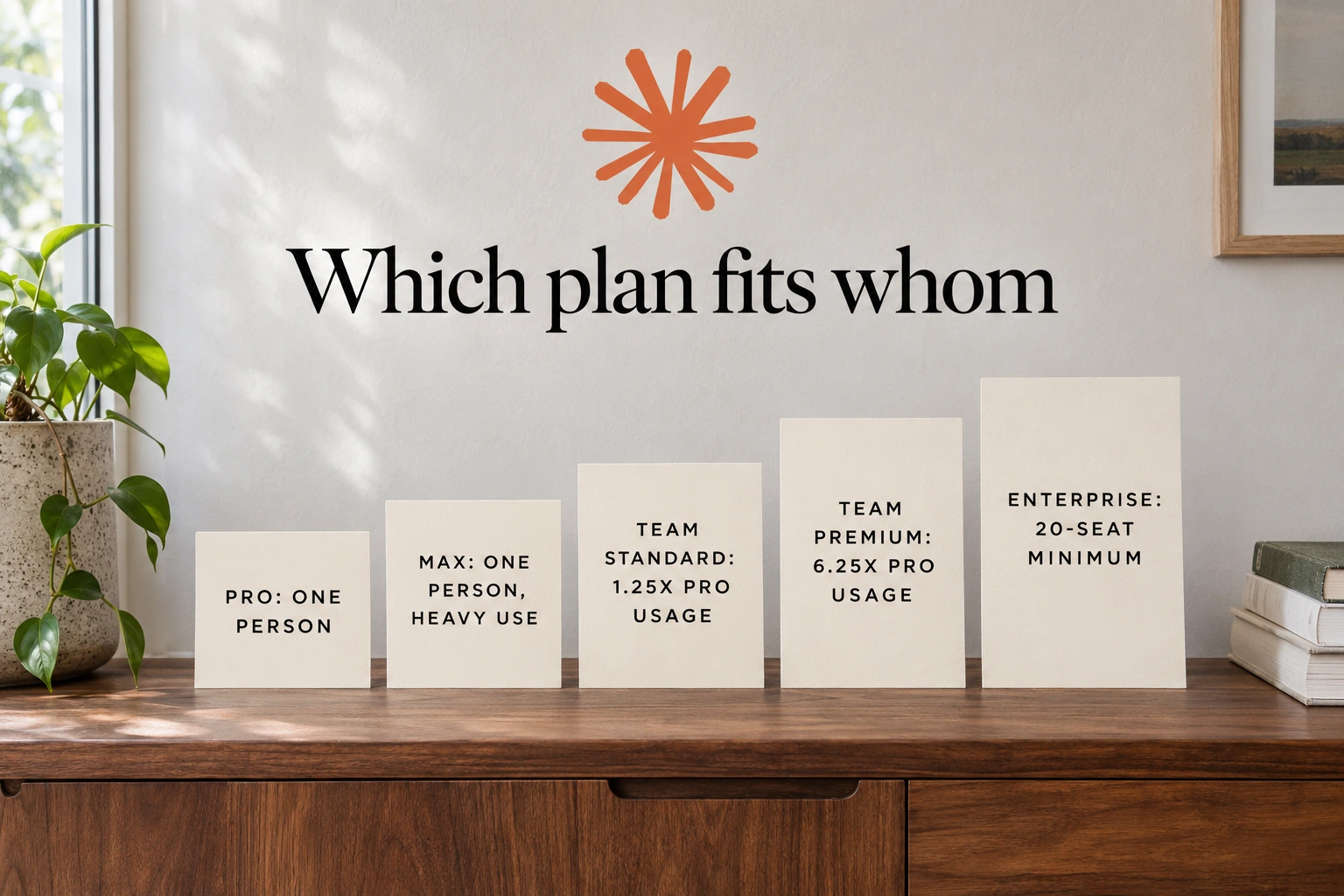
| Pro | $17 a month billed annually or $20 monthly | One person |
| Max | From $100 a month | One person with heavy use |
| Team Standard | $20 a seat billed annually or $25 monthly | Teams of 2 to 150 |
| Team Premium | $100 a seat billed annually or $125 monthly | Teams of 2 to 150 |
| Enterprise | Seat price plus usage at API rates | 20-seat minimum |
To answer the question "how much is Claude for business," let's consider a practical example. A team of three on the Standard plan would pay for three seats at $20 billed annually or $25 monthly. This means each team member has access to the shared plan, and the cost is predictable and manageable.
Compared to ChatGPT Business, which is $25 per user per month billed monthly and $20 per user per month billed annually with a minimum of two seats, the listed seat prices match. Both platforms offer similar benefits in terms of team collaboration and data protection, but the choice often comes down to specific features and integrations that align with your team's workflow.
Standard and Premium seats
The choice between Standard and Premium seats in Claude's Team plan largely depends on usage patterns. Standard seats provide 1.25x the per-session usage allowance of the Pro plan, making them suitable for team members who use Claude moderately. Premium seats, on the other hand, offer 6.25x the Pro plan's usage, catering to users who require more intensive interactions with the AI.
Deciding whether to opt for Standard or Premium seats involves assessing who in your team uses Claude heavily and whether the increased usage justifies the higher cost. For example, a content creator or a data analyst might benefit more from Premium seats due to their frequent and extensive use of Claude's capabilities. Conversely, a marketing coordinator or a project manager might find Standard seats sufficient for their needs.
Most of the decision revolves around usage rather than features, as no significant differences in features are listed between the two plans. This means that the primary consideration should be the actual usage patterns of your team members, ensuring that you allocate seats in a way that maximizes efficiency and cost-effectiveness.
What a business plan does with your data
The Team plan from Claude stands out for its approach to data privacy. According to Anthropic, "No model training on your content by default." This is a clear distinction from the Free, Pro, and Max plans, where model training is opt-out. If you're a founder using a personal plan, it's essential to check and manage this setting to ensure your data is handled as you prefer.
For comparison, ChatGPT Business also does not train on workspace data by default. This parallel is significant for founders who prioritize data privacy, especially when handling sensitive client documents and contracts.
A small team's data rule for Claude should be clear and straightforward. For example, you might decide that client material can be uploaded only if it is anonymized and stripped of sensitive information. Any personal data, such as employee health records or financial statements, should stay out of Claude's reach. If team members are using personal plans, the company should set a rule that any business-related material must be uploaded only with explicit permission and under the company's data policy. This ensures that everyone is on the same page and that the company's data remains secure and compliant with internal standards.
Connectors: the tools Claude can reach
Claude's Team plan offers a range of connectors that connect the AI to tools a team already uses. The official help page lists connectors for Google Drive, Gmail, Google Calendar, GitHub, Microsoft 365, and Slack. Once these connectors are set up, Claude can access and interact with material stored in these platforms, streamlining workflows and enhancing productivity.
Before activating all these connectors, founders should carefully consider which ones are truly necessary for their team. Each connection should align with the team's specific needs and workflows to avoid unnecessary complexity and potential data risks.
When deciding which of Claude's connectors to activate, start with the tool where your team's recurring work already lives. For many small teams, this might be Google Drive, where documents and files are stored and shared. Activating this connector means Claude can work with material in that tool once connected. Consider whose account will be used and what material it will open to Claude. For instance, if your team uses Google Drive primarily for client contracts and internal reports, ensure that only the necessary files are accessible. Add the next connector, such as Gmail or Slack, only when a real task necessitates it. This incremental approach ensures that you maintain control over what data Claude can access and process, aligning with your team's workflow and data privacy standards.
A first-week setup for a small team
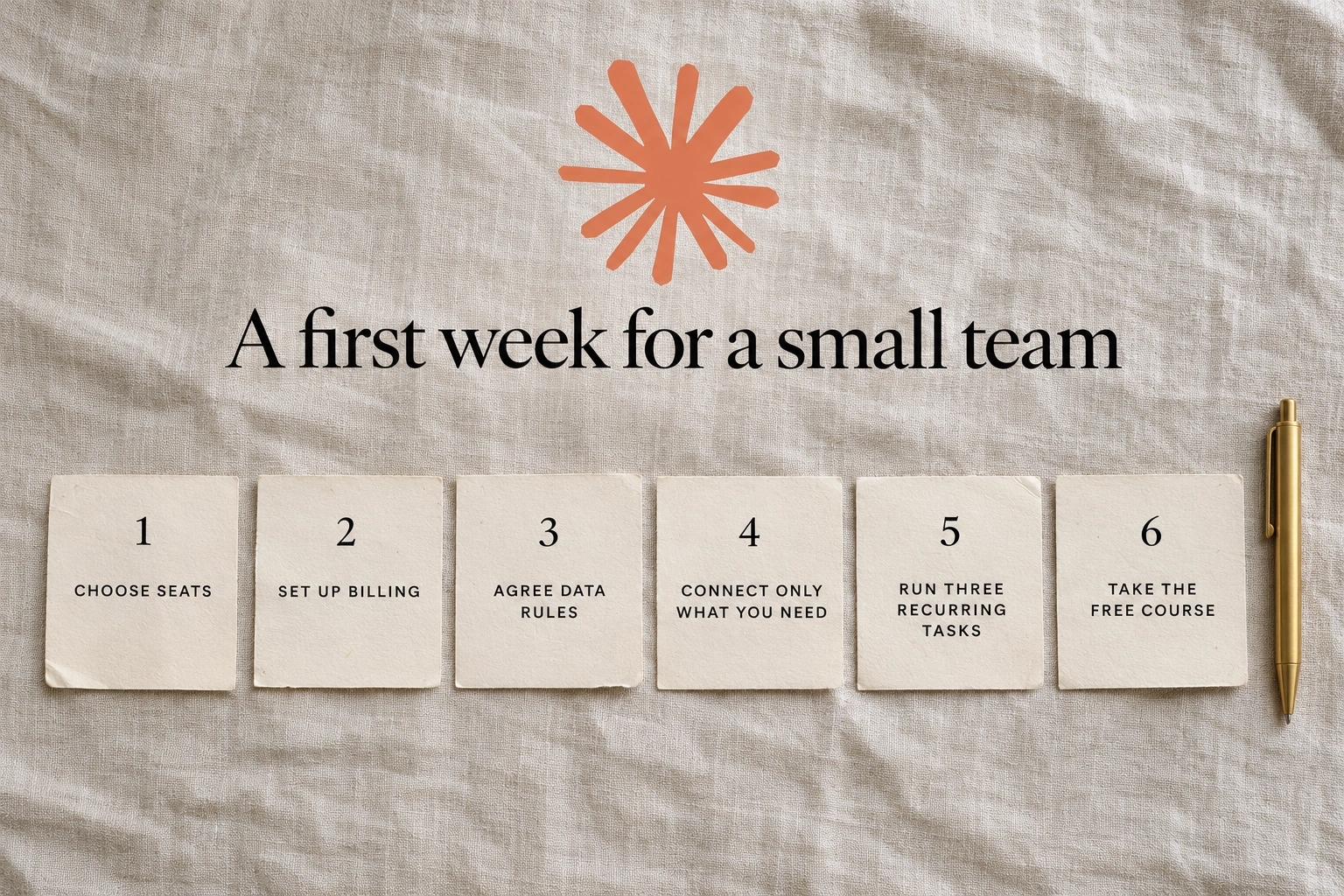
Setting up Claude for a small team can be a straightforward and beneficial process. Here's a step-by-step guide to get you started:
Decide Who Gets a Seat and Which Seat Type: Determine which team members will use Claude and what type of seat they need. Standard seats are $20 a month (billed annually) or $25 monthly, while Premium seats are $100 a month (billed annually) or $125 monthly. Standard seats carry 1.25x the Pro plan's per-session usage and Premium seats 6.25x.
Set Up the Team Plan and Billing: Create a Team account on Anthropic's website and select the appropriate billing option. Remember, the Team plan requires a minimum of two members.
Agree on What Goes In and What Stays Out: Establish clear guidelines for what data can be shared with Claude, particularly for sensitive client documents and contracts. Ensure all team members understand and follow these rules to maintain data privacy.
Connect Only the Tools the Team Needs: From the six available connectors (Google Drive, Gmail, Google Calendar, GitHub, Microsoft 365, and Slack), select and activate only those that are essential for your team's workflow.
Pick Three Recurring Tasks to Run Through It in Week One: Identify three repetitive tasks that Claude can handle, such as drafting emails, or reviewing documents. Test these tasks to see how Claude can improve efficiency.
Have Everyone Take the Free Anthropic Academy Course: Enroll your team in the free "AI Fluency for Small Businesses" course. This course helps small business staff understand how to use AI effectively and includes a certificate upon completion. It's recommended to take "AI Fluency: Framework & Foundations" first for a solid foundation.
After the first week, review the team's experience with Claude. Assess how well the AI is integrating into your workflows and whether it's meeting your needs. Make adjustments as necessary, such as adding or removing connectors, and consider additional training if needed. Founders who prefer in-person learning can look at the club's AI Workshop for a more interactive experience.
Members pay the $100 rate for that workshop, and what membership includes is set out on the club's site.
The practical takeaway
Choosing the right plan and setting up Claude for business can significantly enhance your team's productivity while maintaining data privacy. By following a structured setup process and leveraging the available connectors, you can ensure that Claude becomes an integral part of your workflow.
Set your data rule before the first upload to ensure everyone understands what can and cannot be shared. Review your setup after a week to see if adjustments are needed and to ensure that your team is using Claude effectively and securely.
When you want to set this up alongside other women running companies, apply to join.