
Before this: Claude Basics
Article · Foundations
Set Up Claude
Build a Claude workspace that remembers your projects, then add Claude Code for the work that produces files.
Two halves. First, how to organize Claude so every conversation starts with the right context. Then Claude Code, for when the work has real files in it. You can stop after the first half and still get most of the value.
Loading progress…
Before You Begin
- A Claude account
- A rough list of the areas of your work and life you want Claude to help with
Section 1
Why organization matters
Claude performs best when information is organized into dedicated Projects rather than one long conversation. A project gives Claude a focused space with its own instructions, documents, and knowledge, so every conversation starts with the right context instead of starting from zero. Project knowledge lives with the project. Claude Memory is a different thing, a set of instruction and memory files that Claude Code reads from your computer so every session starts already knowing your business, and you will build those in Claude Memory at the end of this track.
- Everything you upload and write stays attached to the project
- Cleaner context in every conversation
- More accurate, relevant responses
- Easier collaboration with your team
- Faster workflows with less setup each time
- Less repetitive prompting
Treat Claude like a team of specialists, not one person trying to remember everything.
Section 2
Recommended project structure
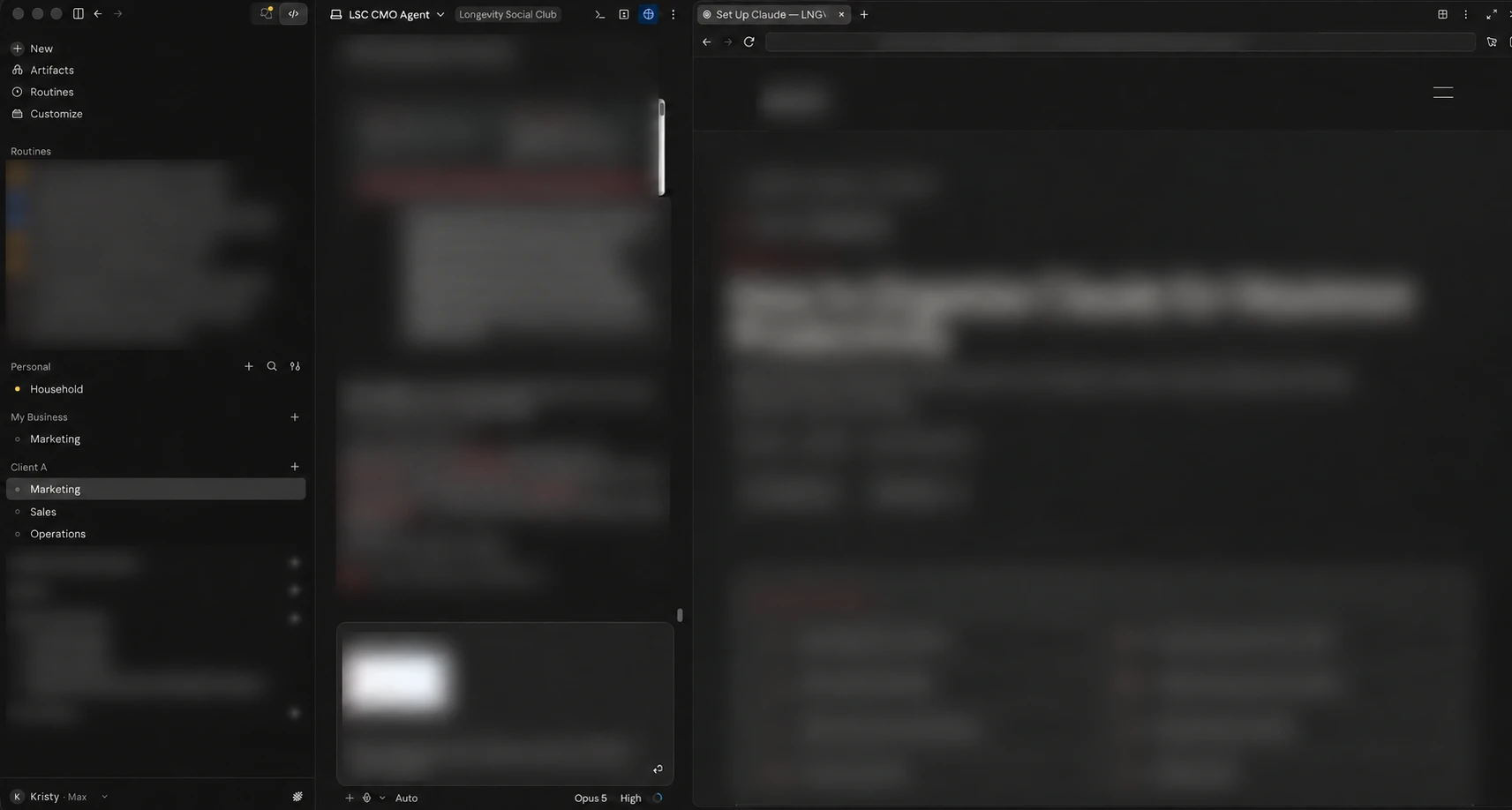
Start with one project for your business and one for each client. Your brand voice, pricing and audience stay the same across marketing, sales and support, so a single project means you maintain that context once instead of repeating it in six places.
Start here
One thread each
Those are threads inside your business project, not separate projects. Start a new thread for each topic and keep it on that topic, and your project instructions and files still apply to all of them. In Claude Code the same idea is one folder per project and one session per topic. Split into separate projects only when the instructions and the files genuinely stop matching.
Section 3
Name your threads after the work
Projects hold the context. Threads hold the work. Name each thread after the job it does, not after the day you started it, because later lessons in this Institute will ask you to open a specific one and put something in it.
Inside your business project
- Marketing: Your brand rules file, your voice file, your content plan, your competitor research, your ads. Most of this Institute lands here.
- Executive Assistant: Your briefings, your scheduler, and anything you want to change about how they behave.
- Sales: Call reviews, follow ups, and anything about a specific deal.
- Operations: Processes, routines, and the work behind the business.
One project per client
Give each client their own project, with the same thread names inside it. It keeps their context out of yours, and yours out of theirs, which matters more than the tidiness. A competitor scan for your business has no business reading a client's brand files.
You do not have to make all four now. Make Marketing, because the next few lessons write into it, and add the others when a lesson asks for one. What matters is that the name matches the work, so when a lesson says "run this in your Marketing thread", there is one obvious place to go.
Section 4
Give the project its context
A project needs two things from you, and they do different jobs. The files are what Claude should always have in front of it. The instructions are how it should work with them. Files without instructions gets you a well informed assistant with no manners, and instructions without files gets you a polite one that does not know your business.
The files it should always have
- SOPs
- Brand Guidelines
- Style guides
- Company information
- Product documentation
- Pricing
- FAQs
- Marketing assets
- Reference documents
Think before you upload. Do not put customer records, contracts, credentials, employee information, or anything covered by an agreement into project knowledge without approval. Strip names and account numbers from anything you are unsure about. A qualified person should review decisions involving people, money, health, or legal obligations.
The rules it should always follow
Preferred writing style
Formal or conversational, short sentences or detailed explanations, first person or third.
Formatting preferences
Bullet points vs. paragraphs, headings, tables, length limits, and how you want deliverables structured.
Brand Voice
The tone, words, and phrases that sound like your brand, and the ones that never should.
Audience
Who Claude is writing or building for, so every output is pitched at the right level.
Business goals
What you are trying to achieve this quarter, so suggestions point in the right direction.
Common workflows
The tasks you repeat weekly: drafting campaigns, preparing proposals, summarizing meetings.
Tools being used
Your stack, including your email platform, CRM, and design tools, so Claude's answers fit how you actually work.
Example project instructions
Adapt this example to your own project.
You are helping me run my business.

What we do: one or two sentences on what you sell and who buys it.

Who it is for: your customer, in plain words.

How I want you to write: warm, confident, and direct. Short sentences. No jargon, no exclamation points, no hype words like "game-changing."

Formatting: headings for each section, bullets for lists, and drafts under 400 words unless I ask for more.

What I work on in here: the three or four things you come back to most, for example weekly newsletters, social captions, and sales pages. Ask me which one before you start.

What to ask me for: if you do not have a real number, a date, or the details of an offer, ask me instead of inventing one.
Section 5
Claude Code, When The Work Has Files
Everything above happens in Claude, in your browser or the desktop app. Claude Code is the same Claude working inside a folder on your computer, able to read and write real files. That is the whole reason to use it.
Use it when the work produces documents rather than answers. A campaign build, a research pack, a content system, anything with more than three steps and real output files. For a question, a draft or a decision, stay in a project thread. Using Claude Code as a chat window is the common mistake, and it wastes what makes it useful.
You do not need a terminal. The desktop app has a Code tab: open it, choose a folder, and start working. If you would rather install nothing at all, claude.ai/code runs the same thing in your browser on a paid plan.
- 1Download the Claude desktop app and sign in
- 2Open the Code tab
- 3Choose the folder for the project you want to work in
- 4Tell it what you want done, and keep one folder per project
If you already live in a terminal and want the claude command there too, that is a separate optional install. Node.js is only needed if you install it through npm rather than the native installer. The lessons that use Claude Code, like Meta Ads Setup, assume you have done this once.
Section 6
Set it up, step by step
- 1Create a project in ClaudeOne project for your business, one for each client, and one for personal. Never one giant conversation.
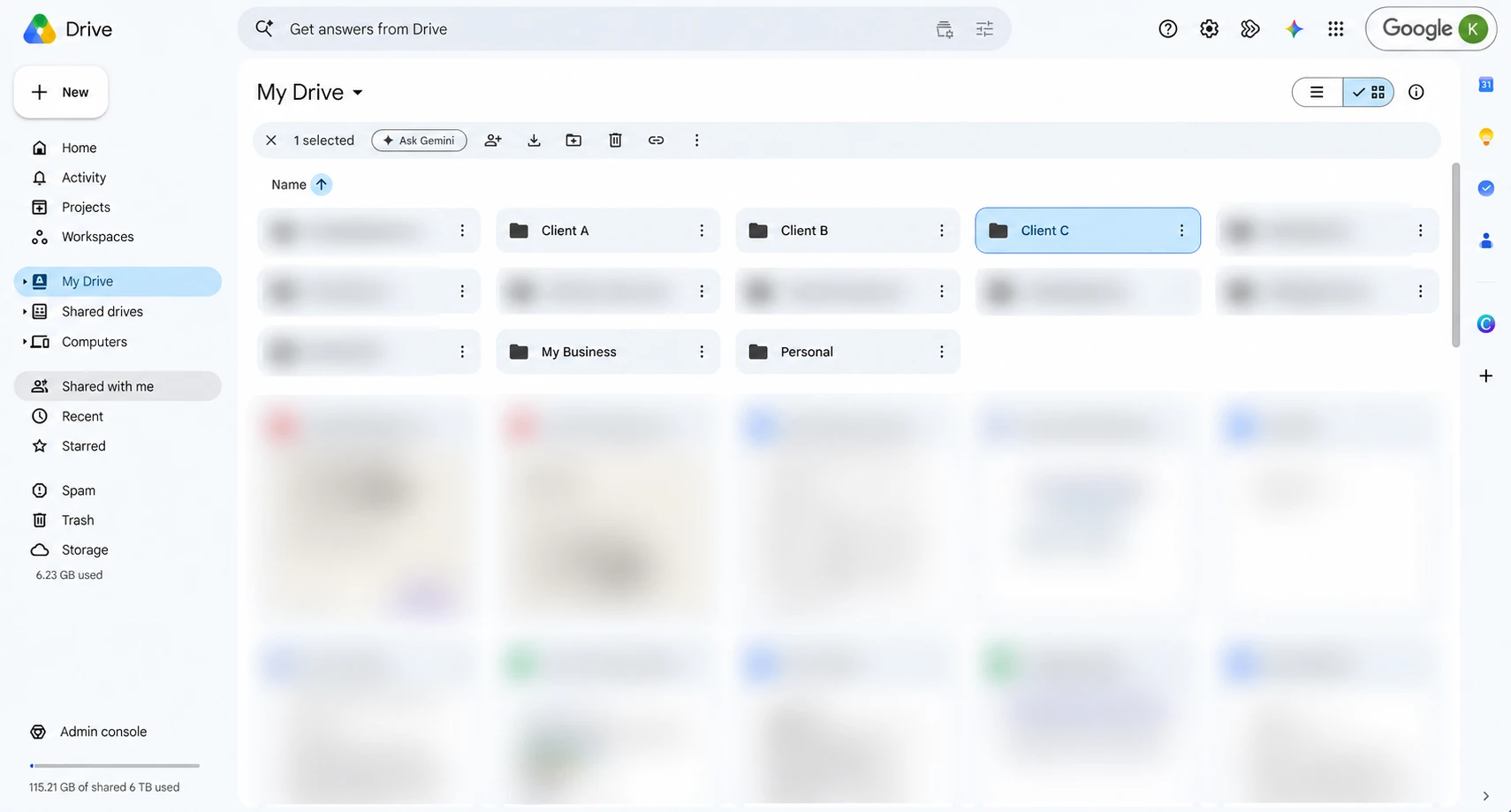
- 2Create a Matching Folder in Google DriveThis is how we run it at LNGVTY, and it works well. For every Claude project we create a Google Drive folder with the same name and connect it, so Claude can read and save files in one reliable place instead of leaving work stranded in a chat. Any cloud storage you already use will do the same job.
- 3Add Project InstructionsTell Claude how you work: voice, formatting, audience, goals, and tools.
- 4Upload Knowledge FilesAdd the documents Claude should always have: SOPs, brand guidelines, pricing, FAQs.
- 5Start focused conversationsKeep each chat inside its project, on one topic at a time. Name it after the work, so Marketing, Sales or Executive Assistant, rather than leaving it as the first thing you typed.
- 6Save important outputsMove final deliverables into your own files so nothing valuable lives only in a chat.
- 7Continue work inside the same projectCome back to the same project so context and memory build over time.
- 8Review and update project knowledgeAs your business evolves, refresh the documents and instructions Claude relies on.
Section 7
Good habits, and the mistakes to avoid
Do this
- One project per business or client
- Upload important documents
- Keep conversations organized by topic
- Maintain updated project knowledge
- Use clear, detailed prompts
- Save successful prompts as skills
- Archive outdated conversations
- Regularly refine project instructions
Not this
Mixing multiple businesses into one project
Starting a new chat for every question
Not uploading documentation
Giving vague prompts
Ignoring project instructions
Letting projects become cluttered
In closing
Think of Claude as a long-term collaborator
Claude becomes more useful the longer you work together inside a well-organized workspace. Set up your projects once, keep them tidy, and every conversation gets faster, sharper, and more consistent.
The better your Claude workspace is organized, the more valuable it becomes over time. Investing a little effort upfront can dramatically improve productivity and consistency.
Checkpoint
You have done this when Claude is open beside your work and, if you need it, Claude Code can read a folder on your computer.
Check Your Understanding
Progress is saved when signed in.
Have questions about this?
Ask Kristy.
You reached the end
Finished this article?
Mark it complete to update your Institute progress.
Loading progress…
Next lesson
03
Talking to Claude
Five ways of asking that get better work out of Claude, and three prompts you keep.